
Artificial intelligence is no longer just a curiosity or a side project. It’s quietly becoming part of how real work gets done, but it doesn’t need to be a mystery. First off, let’s dive into Google Gemini Explained.
If you’re already using ChatGPT (or thinking about it), you’ve probably seen Google Gemini pop up inside Gmail, Docs, Sheets, or your browser — and wondered:
- Is this actually useful?
- How is it different from ChatGPT?
- When should I use Gemini instead?
This guide answers those questions without hype, jargon, or a clear focus on practical productivity.
Table of Contents
What Is Google Gemini (Really)?
At its core, Gemini is Google’s AI assistant, deeply integrated into the tools millions of people already use every day.
Unlike standalone AI tools, Gemini shines when it works inside Google’s ecosystem. It’s fantastic for helping you write, summarize, analyze, and organize information where it already lives.
Think of Gemini as:
An intelligent layer on top of Google Workspace.
Not a chatbot replacement.
Not a sci-fi brain.
A work accelerator.
Where Google Gemini Shows Up (And Why That Matters)
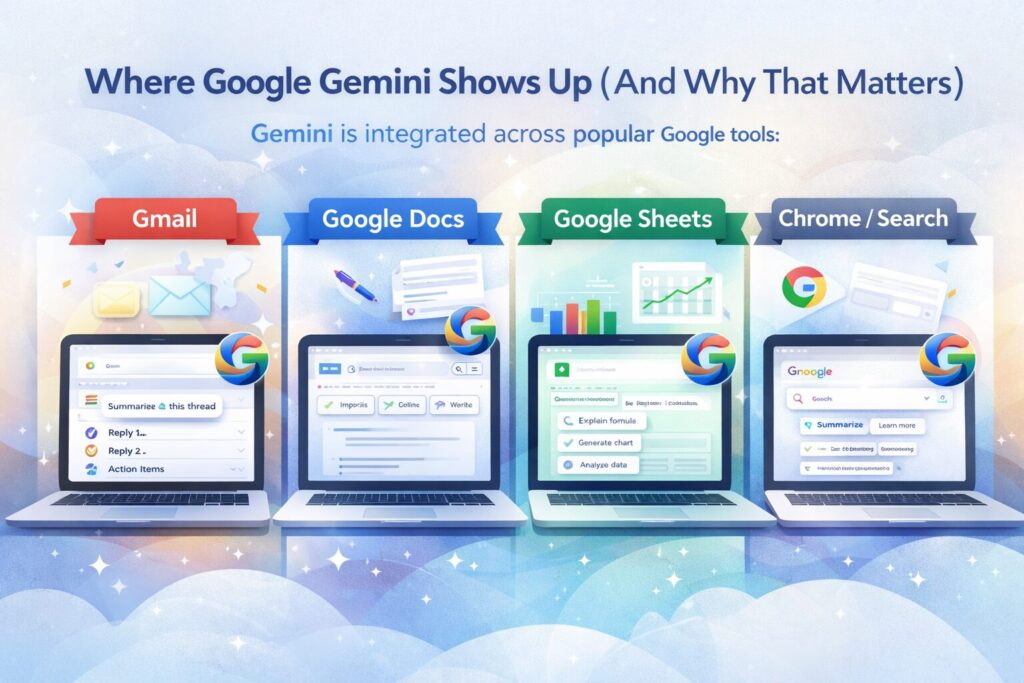
Gemini isn’t just one app — it appears across Google products:
- Gmail – summarize long threads, draft replies, extract action items
- Google Docs – write, rewrite, outline, or clarify content
- Google Sheets – explain formulas, analyze data, generate insights
- Chrome / Search – smarter answers grounded in real sources
This tight integration is Gemini’s biggest advantage.
You don’t have to move work to AI.
AI comes to where you already work.
Gemini vs ChatGPT Explained: When Should You Use Each?
This isn’t an “either/or” decision. The smartest approach is knowing which tool fits the job.
Gemini Is Best When You’re:
- Working inside Gmail, Docs, or Sheets
- Summarizing long email threads
- Analyzing spreadsheets without writing formulas manually
- Researching topics tied closely to Google Search
ChatGPT Is Better When You’re:
- Brainstorming from scratch
- Learning a new concept step-by-step
- Writing long-form content
- Building structured outputs (tables, plans, scripts)
Power users use both.
The magic is knowing when.
Practical Ways to Use Google Gemini Today
Let’s skip theory and get concrete
1. Tame Your Inbox
Paste or select a messy email thread and ask:
“Summarize this and list next steps.”
You instantly get:
- A clear summary
- Action items
- No more scrolling
2. Write Faster (Without Starting From Zero)
In Google Docs:
“Draft a first version of this proposal using a professional but approachable tone.”
You’re no longer staring at a blank page — you’re editing, not writing.
3. Make Sense of Spreadsheets
Instead of Googling formulas:
“What does this data say about monthly trends?”
“Create a simple summary for leadership.”
Gemini translates numbers → insight.
4. Turn Notes Into Something Useful
Messy meeting notes?
“Turn this into a clean action list with owners.”
This alone can save hours every week.
How to Get Better Results from Gemini
Gemini is powerful — but it’s not psychic.
Use prompts that include:
- Context (“This is for a manager update”)
- Format (“Give me bullet points”)
- Audience (“Non-technical readers”)
Example:
“Summarize this email thread for an executive audience in 5 bullets.”
Clear instructions = better output.
Common Beginner Questions
Is Google Gemini Free?
Yes — there’s a free tier, with advanced features available through paid Google Workspace plans.
Does Google Gemini Replace Search?
No. It enhances it by summarizing, synthesizing, and explaining — not just listing links.
Is My Data Safe?
Gemini follows Google’s enterprise security and privacy controls, especially inside Workspace. Always review your organization’s policies.
The Real Value of Google Gemini
Gemini isn’t about “AI magic.”
It’s about:
- Less time searching
- Reducing time rewriting
- Shortening time required for deciphering information
And more time:
- Thinking
- Deciding
- Creating
That’s the quiet power of embedded AI.
Final Thought: Start Small, Win Fast
You don’t need a workflow overhaul.
Start with one task you already do:
- Summarize emails
- Draft documents
- Understand data
Let Gemini save you 10 minutes.
Then 30.
Then hours.
That’s how AI becomes useful — not intimidating.